


Advanced
Catalog
Catalog gives you a searchable, read-only view of your Featurevisor project.
Run it#
Command
$ npx featurevisor catalogCatalog opens at http://127.0.0.1:3000/ and reloads when your project changes:
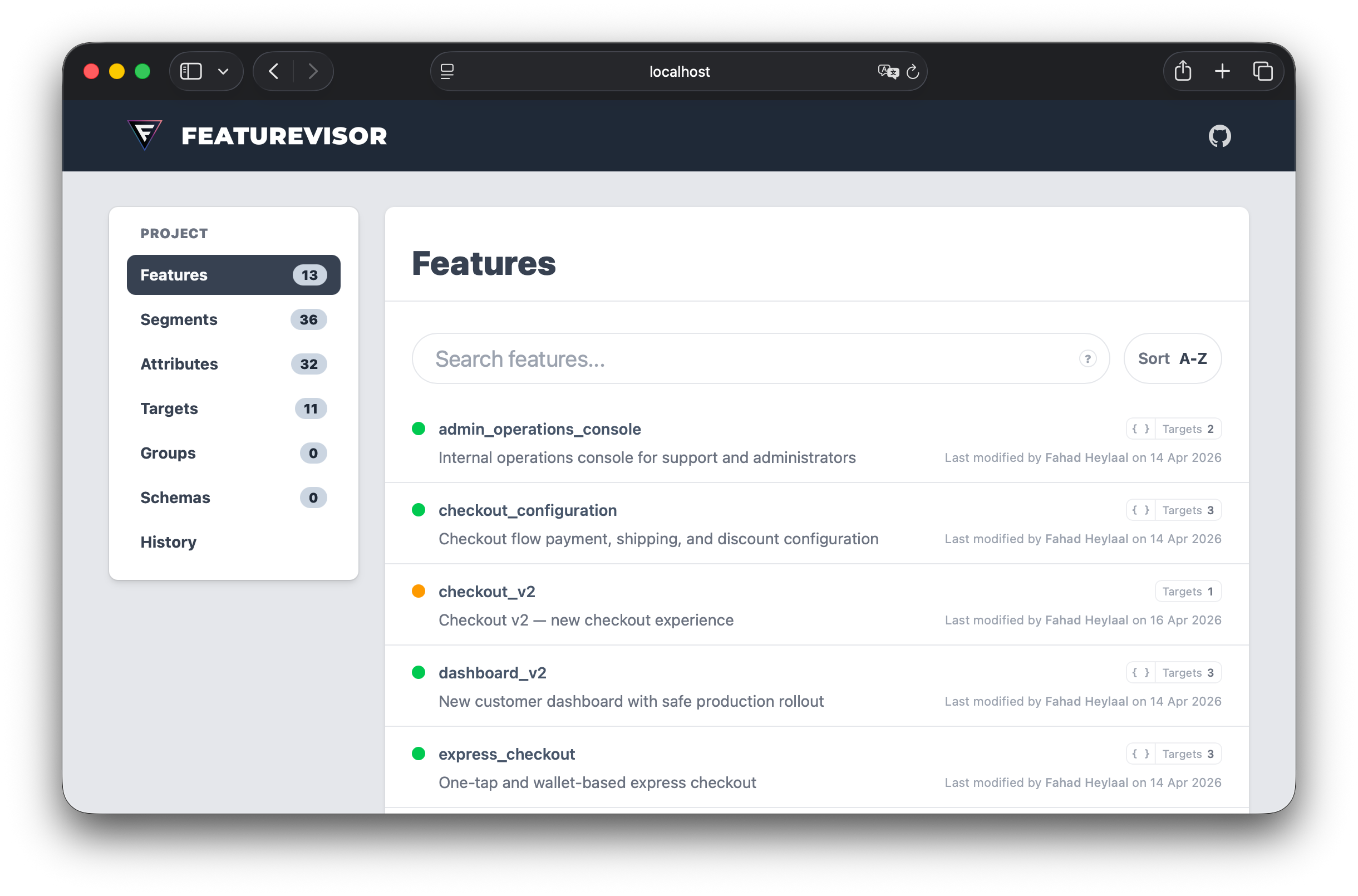
Choose another port when needed:
Command
$ npx featurevisor catalog --port=4000What you get#
- Browse features, global variables, segments, attributes, targets, groups, and schemas.
- Follow relationships between definitions.
- Inspect variations, variables, rules, force entries, and environments.
- Review feature, variable, and segment test specs, including applied matrix cases with shareable assertion links.
- Search and filter large projects.
- Explore project and entity Git history, with repository links when available.
- Switch between separate Catalog views when using Sets.
Export and host#
Generate a static Catalog in catalogDirectoryPath, which defaults to catalog/:
Command
$ npx featurevisor catalog exportThe output can be deployed to any static host. Use another directory if needed:
Command
$ npx featurevisor catalog export --outDir=./dist/catalogServe an existing export locally with:
Command
$ npx featurevisor catalog serveCatalog uses browser history routes by default. If your host cannot route application URLs to index.html, use hash routing:
Command
$ npx featurevisor catalog export --hash-routerOptions#
| Option | Applies to | Description |
|---|---|---|
--outDir=<path> | all Catalog commands | Override catalogDirectoryPath for this invocation |
--port=<number> or -p <number> | catalog and catalog serve | Serve on another port instead of 3000 |
--hash-router | catalog and catalog export | Generate routes suitable for hosts without an HTML fallback |
--no-assets | catalog and catalog export | Generate project data without copying the Catalog UI assets |
Use --no-assets only when your workflow manages the compiled Catalog interface separately.